
Best Study Apps for Students: Top Tools for Learning, Productivity, and Academic Success
Students today have access to digital tools that make studying more organized, flexible, and effective. From taking notes and creating flashcards to managing assignments and attending online classes, study apps help students develop better learning habits and improve their academic performance.
The best study apps for students offer practical solutions for different educational needs. Whether you are preparing for exams, completing assignments, learning a new subject, or managing a busy academic schedule, the right apps can save time, keep you focused, and help you understand difficult concepts more effectively.
Why Study Apps Are Important for Students?
Study apps help students organize educational materials, track deadlines, and manage their daily responsibilities. Instead of relying entirely on paper notebooks and handwritten schedules, students can use digital platforms to keep important information accessible across their devices.
These applications also encourage independent learning by providing interactive exercises, revision tools, reminders, and progress tracking. When students use these features consistently, they can identify areas for improvement, develop stronger study routines, and prepare more confidently for academic challenges.
Best Study Apps for Students in 2026
The right study app depends on your learning goals, preferred study methods, and academic requirements. Some apps focus on note-taking, while others focus on memorization, time management, research, or collaborative learning.
The following applications offer useful features for students at different educational levels. Understanding their strengths can help you choose tools that match your needs without installing unnecessary applications or creating a complicated study routine.
Notion: Best App for Organizing Study Materials
Notion is a versatile productivity app that lets students organize notes, create to-do lists, maintain study schedules, and manage academic projects in one workspace. Its customizable pages and databases make it suitable for students who want to organize multiple subjects systematically.
Students can create separate pages for individual courses, record assignment deadlines, and maintain revision checklists. Notion can be especially helpful for managing long-term projects and semester plans, although beginners may need some time to learn its extensive customization options.
Quizlet: Best App for Flashcards and Revision
Quizlet helps students review information through digital flashcards and other study activities. It helps students learn vocabulary, scientific terminology, historical dates, definitions, and other concepts that require repeated practice.
Students can create their own flashcard sets or explore existing study materials. Regular revision can make information easier to recall, especially when flashcards are paired with practice questions and explanations rather than used as the only preparation method.
Anki: Best App for Long-Term Memorization
Anki is a popular flashcard application built around spaced repetition. This technique schedules reviews based on how well a student remembers information, so they revisit challenging material more often than familiar concepts.
The app is especially useful for medical students, language learners, and students preparing for demanding exams. Although its interface and setup may feel less intuitive than some alternatives, Anki offers considerable flexibility for creating detailed flashcards and building long-term knowledge.
Google Keep: Best App for Quick Notes
Google Keep provides a straightforward way to capture short notes, reminders, lists, and important ideas. Students can use it to record homework instructions, save revision points, create checklists, and remember upcoming academic responsibilities.
Its simple interface makes it easy to use for everyday organization without extensive setup. Students can use color labels and reminders to separate different types of information, while more detailed lecture notes can be stored in a dedicated note-taking application.
Microsoft OneNote: Best App for Digital Notes
Microsoft OneNote offers a digital notebook system that helps students organize lecture notes, subject materials, diagrams, and research information. Its notebook, section, and page structure makes it easier to maintain separate collections for different classes.
Students can type notes, combine text with images, and organize information flexibly. OneNote is especially valuable for learners who want a central location for their academic materials and already use Microsoft applications for assignments or document preparation.
Google Calendar: Best App for Study Planning
Google Calendar helps students manage their schedules by recording examination dates, assignment deadlines, lectures, and revision sessions. A well-organized calendar makes academic responsibilities easier to understand and reduces the likelihood of forgetting important commitments.
Students can break large assignments into smaller tasks and set aside specific periods to study individual subjects. Setting realistic deadlines and reviewing the calendar regularly can create a more balanced routine that accommodates education, personal responsibilities, and sufficient rest.
Forest: Best App for Concentration
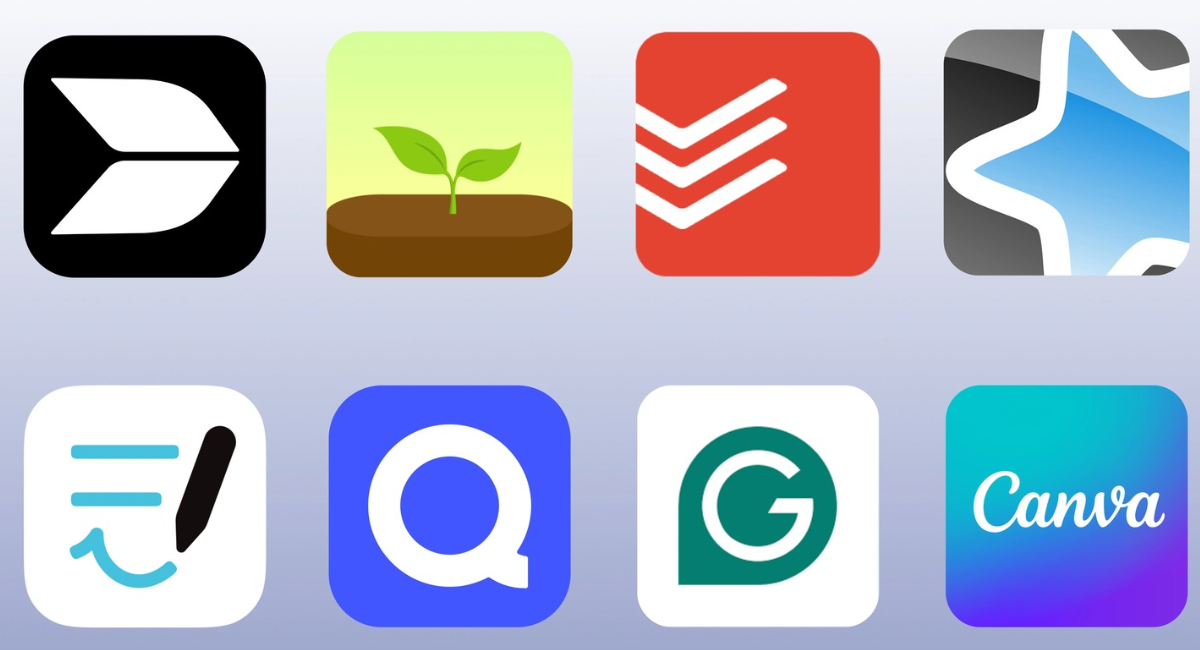
Forest encourages students to concentrate by connecting focused study sessions with a virtual tree-growing experience. When students start a session, they work to grow a tree while avoiding activities that interrupt their concentration.
This approach can make focused study periods more engaging for learners who frequently check their phones. Forest works best when students set realistic session lengths, silence unnecessary notifications, and take short breaks between focused work periods.
Todoist: Best App for Managing Assignments
Todoist is a task-management application that helps students record assignments, organize projects, and establish deadlines. Its task lists and priority features make it easier to identify urgent responsibilities and plan work in a manageable order.
Students can create separate projects for different subjects and divide larger assignments into smaller steps. This approach reduces stress around complex academic projects and helps learners track their progress throughout the semester.
Grammarly: Best App for Academic Writing
Grammarly assists students with grammar, spelling, punctuation, clarity, and writing style. It can help improve essays, reports, emails, and other written assignments by identifying potential language errors and suggesting revisions.
Students should treat Grammarly as a writing assistant, not a replacement for learning proper writing techniques. Reviewing its suggestions and understanding the reasons behind corrections can strengthen writing skills while helping students produce clearer academic work.
Wolfram Alpha: Best App for Solving Complex Problems
Wolfram Alpha is a computational knowledge tool that can support students studying mathematics, science, statistics, and related subjects. It can evaluate mathematical expressions, explore equations, and provide computational results for many technical questions.
Students can use the platform to check calculations and investigate challenging problems. However, obtaining an answer is not the same as understanding a concept, so learners should study the underlying methods and verify that they can solve similar questions independently.
Khan Academy: Best App for Free Online Learning
Khan Academy offers lessons, instructional videos, practice exercises, and learning resources across many subjects. It is especially useful for students who want to strengthen their foundations in mathematics, science, economics, and other academic areas.
Students can revisit difficult topics at their own pace and practice skills until they become more comfortable with the material. Its accessible learning approach makes it a valuable supplement to classroom instruction, although the availability of specific courses and features may vary.
Read Also: Tesla Model Y: Features and Complete Guide
Google Drive: Best App for Storing Study Documents
Google Drive allows students to store, organize, and access academic files online. It can be used to maintain lecture slides, research documents, assignment drafts, reference materials, and other important educational resources in one location.
Its integration with Google Docs, Sheets, and Slides also supports document creation and collaboration. Students should organize folders carefully, review sharing permissions, and maintain appropriate backups to reduce the risk of losing important coursework.
Best Study Apps for Different Academic Needs
Not every student needs the same set of apps. Choosing tools for specific learning challenges can boost productivity without adding unnecessary complexity to the daily study routine.
Students who struggle with memorization may benefit from Anki or Quizlet, while those who need better organization can explore Notion, Todoist, or Google Calendar. Learners who want more explanation can use Khan Academy, and students who need help with academic writing may find Grammarly helpful.
How to Choose the Right Study Apps
Before installing a study app, identify the problem you want to solve. If you frequently forget deadlines, prioritize scheduling tools. If you struggle to remember information, consider flashcards and spaced repetition. If your notes are scattered across multiple locations, choose a reliable digital notebook.
Also evaluate usability, pricing, device compatibility, privacy, and offline access. Some apps offer useful free versions, while others lock advanced features behind paid plans. Testing a few tools before committing to a workflow can help you make a practical decision.
Tips for Using Study Apps Effectively
Using more apps does not automatically lead to better academic results. Students should select a few complementary tools and establish a consistent routine for recording assignments, reviewing notes, practicing questions, and preparing for examinations.
Active learning is equally important. Instead of repeatedly reading digital notes, try answering questions from memory, explaining concepts in your own words, and completing practice problems. Combine these techniques with scheduled revision sessions and regular breaks to improve understanding and retention.
Common Mistakes Students Should Avoid
One common mistake is spending too much time customizing productivity dashboards instead of completing academic work. Another is downloading multiple apps that do similar things, creating unnecessary notifications and making study materials harder to manage.
Students should also avoid relying entirely on automated summaries, AI-generated answers, or computational tools. These resources can support learning, but submitting work without understanding or verifying it may weaken critical-thinking skills and create academic integrity problems.
Frequently Asked Questions
What Are the Best Study Apps for Students?
Popular choices include Notion for organization, Quizlet and Anki for revision, OneNote for digital notes, Google Calendar for scheduling, and Khan Academy for learning new concepts. The best option depends on your academic goals and preferred learning methods.
Which Study App Is Best for Exam Preparation?
Anki and Quizlet are useful for memorizing definitions, facts, and important concepts. Students can combine flashcards with practice examinations, past papers, and scheduled revision to prepare more effectively for upcoming tests.
Are There Free Study Apps for Students?
Yes, several applications offer free access to useful educational features. Khan Academy, Google Keep, Google Calendar, and Google Drive offer valuable free tools, while other platforms provide free plans with some limitations.
Which App Is Best for Taking Study Notes?
Microsoft OneNote is a strong choice for organizing detailed lecture notes and subject materials. Google Keep works well for quick reminders, while Notion suits students who want customizable notes alongside tasks and project planning.
What Is the Best App for Managing Assignments?
Todoist and Google Calendar can help students track deadlines and plan their workload. Notion is another option for learners who prefer to combine assignments, subject notes, and long-term academic projects in one workspace.
Which Study App Helps Improve Concentration?
Forest encourages focused study sessions through its virtual tree-growing feature. Students can also improve concentration by disabling unnecessary notifications, setting realistic study goals, and taking planned breaks between sessions.
Are Flashcard Apps Effective for Learning?
Flashcard apps can improve recall when students use them consistently and actively retrieve information from memory. Spaced repetition is particularly useful because it helps learners review material at intervals rather than relying only on last-minute memorization.
Can Study Apps Help Students Improve Their Grades?
Study apps can support better academic performance by improving organization, revision, concentration, and access to educational resources. However, results depend on consistent effort, effective learning strategies, subject understanding, and the quality of study habits.
Which Study Apps Are Best for College Students?
College students may benefit from Notion or OneNote for notes, Google Calendar for schedules, Todoist for assignments, and Anki for memorization. Students working on essays can also use writing assistance tools to review grammar and clarity.
How Many Study Apps Should a Student Use?
There is no fixed number, but starting with three or four complementary applications is often practical. Choose tools that solve specific problems, avoid unnecessary overlap, and adjust your setup when your academic requirements change.
Conclusion
The best study apps for students can make learning more organized, productive, and accessible. Apps such as Notion, Quizlet, Anki, OneNote, Google Calendar, Forest, and Khan Academy support different parts of academic life, from managing assignments to building subject knowledge.
For the best results, select applications that address your individual needs and use them consistently. Combine digital tools with active learning, regular revision, effective time management, and independent problem-solving.
Leave a Comment