
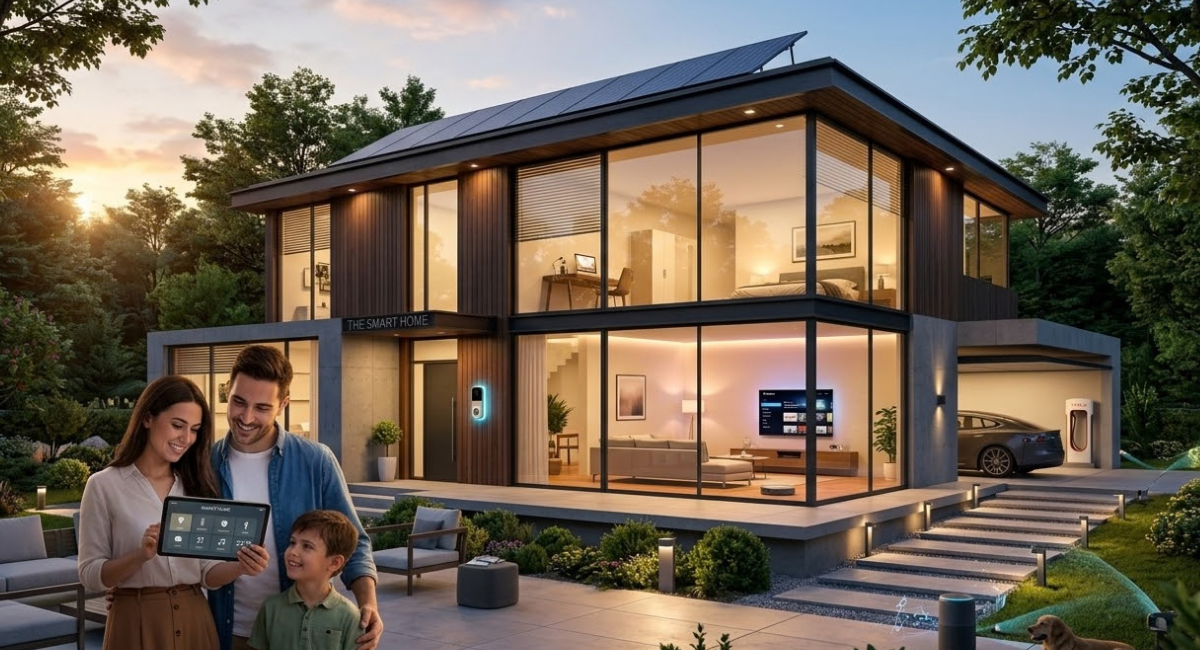
Smart Homes: A Complete Guide to Modern Connected Living
Smart Homes have changed the way people interact with their living spaces by connecting everyday devices through modern technology. Smart lighting, security systems, thermostats, appliances, cameras, and voice assistants can communicate through connected networks, helping homeowners manage different functions from smartphones, tablets, or dedicated control panels.
The growing popularity of Smart Homes comes from the combination of convenience, automation, security, and energy management. Instead of operating every device manually, homeowners can create automated routines that respond to schedules, commands, sensors, or changing conditions. This technology is becoming an important part of modern residential design.
What Are Smart Homes?
Smart Homes are residential environments equipped with connected devices that can be monitored, controlled, or automated through digital technologies. These devices may include lights, locks, cameras, thermostats, doorbells, entertainment systems, kitchen appliances, and environmental sensors.
A Smart Home generally uses a central platform or communication system to connect different devices. Depending on the technology, users can control equipment through mobile applications, voice commands, touchscreens, schedules, or automated routines. This creates a more connected and responsive home environment.
How Smart Homes Work
Smart Homes rely on a combination of internet connectivity, wireless communication, sensors, software, and connected devices. A smart light, for example, can receive instructions from an application or automation system and change its operating state without requiring a traditional physical switch.
Different devices can communicate through technologies such as Wi-Fi, Bluetooth, Zigbee, Z-Wave, or newer networking standards. A compatible hub or platform can help coordinate devices, while cloud services may provide remote access, synchronization, notifications, and additional automation features.
Smart Home Automation
Automation is a defining feature of Smart Homes. Homeowners can create routines that perform multiple actions based on a particular condition, time, location, or sensor event. For example, an evening routine can automatically adjust lighting, temperature, and security settings.
Automation can also reduce repetitive tasks throughout the day. Motion sensors can activate lights when someone enters a room, while smart thermostats can adjust heating or cooling based on schedules. These functions allow the home to respond automatically instead of requiring constant manual control.
Smart Lighting Systems
Smart lighting provides digital control over lamps, ceiling lights, outdoor lighting, and other fixtures. Depending on the installed system, users can turn lights on or off through apps, voice commands, schedules, or automation routines.
Many smart lighting products also provide brightness adjustment and other settings. Automated lighting can support different activities by creating scheduled routines for mornings, evenings, entertainment, or nighttime. Motion and occupancy sensors can further improve convenience by turning lights on when needed.
Smart Security Systems
Smart security has become a major component of modern connected homes. Products can include smart cameras, video doorbells, motion sensors, smart locks, alarm systems, glass-break sensors, and entry sensors that provide homeowners with additional monitoring capabilities.
Remote notifications can help users stay informed about selected events. Depending on the system, a smartphone application may display camera feeds, provide doorbell alerts, or show whether a connected entry point is open. Proper installation, secure account settings, and regular software updates remain important for protecting these systems.
Smart Cameras and Video Doorbells
Smart cameras allow homeowners to monitor selected areas of a property using connected devices. Indoor and outdoor cameras can provide live video, event notifications, and other features depending on the model and service.
Video doorbells combine doorbell functionality with camera technology. They can notify users when someone approaches the entrance and may allow two-way communication through a mobile application. Review privacy settings carefully when installing cameras around homes.
Smart Locks
Smart locks replace or supplement conventional locking systems with digitally controlled access. Depending on the product, users may unlock doors through mobile apps, codes, biometrics, physical keys, or compatible access devices.
Some smart locks can integrate with broader home automation routines. For example, an authorized access event may trigger selected lighting or security actions. Homeowners should consider battery life, emergency access, compatibility, and security features before selecting a smart lock.
Smart Thermostats
Smart thermostats provide more advanced control over indoor temperature. They can use schedules, sensors, apps, and learning features to adjust heating or cooling based on household needs.
Remote control lets users change temperature settings while away from home. Some systems can also provide energy reports or recommendations. Actual energy savings depend on the home, climate, equipment, settings, insulation, and user behavior.
Smart Appliances
Smart appliances bring connectivity and automation to kitchens, laundry areas, and other parts of a home. Examples include connected refrigerators, ovens, washing machines, dishwashers, coffee makers, and robotic cleaning devices.
Depending on the appliance, users may receive notifications, monitor operating status, schedule functions, or control selected features remotely. Smart appliances can be particularly useful when their connected capabilities solve a specific household problem rather than simply adding connectivity.
Smart Home Energy Management
Energy management is an important application of connected home technology. Smart plugs, energy monitors, thermostats, lighting systems, and connected appliances can provide energy-usage information and help users manage selected devices.
Automation can reduce unnecessary operation by switching devices off according to schedules or conditions. However, connected technology itself does not guarantee lower energy consumption. Effective results depend on appropriate automation, efficient appliances, household habits, and accurate energy monitoring.
Smart Speakers and Voice Assistants
Smart speakers can provide a convenient interface for controlling compatible devices. Users may issue voice commands to operate lights, thermostats, entertainment equipment, or other supported products.
Voice control can be especially useful when users are busy or when physical access to a device is inconvenient. Because voice assistants can process personal commands and connected information, homeowners should review privacy controls, account permissions, and microphone settings.
Smart Home Hubs
A Smart Home hub can act as a central control point for compatible devices. Some systems use dedicated hardware, while others rely primarily on applications and cloud-based platforms.
A hub can help connect devices that use different communication technologies or provide centralized automation. Check compatibility carefully before purchasing devices, because not every product works with every platform or communication standard.
Smart Home Connectivity
Reliable connectivity is essential for many Smart Home features. Wi-Fi is widely used for cameras, appliances, speakers, and other connected products, while lower-power protocols may be used for sensors and specialized devices.
Homeowners should consider network coverage, device placement, bandwidth requirements, and router performance. A large property may require additional networking equipment to provide stable coverage across different rooms and outdoor areas.
Benefits of Smart Homes
Smart Homes can provide convenience by letting you control multiple household functions from a single app or platform. Automation can reduce repetitive tasks, while notifications can alert you to selected events inside or around the property.
Connected technology can also improve accessibility for some users by offering alternative ways to control household equipment. The overall benefit depends on how well devices work together and whether their features address genuine household needs.
Smart Homes and Convenience
Convenience is one of the most visible advantages of Smart Homes. Users can create routines that coordinate several devices, such as adjusting lighting and temperature at particular times of the day.
Remote access can also simplify household management. A user may check a connected device, adjust a thermostat, or receive an alert without being physically present. These capabilities can make everyday routines more organized and responsive.
Smart Homes and Accessibility
Connected technology can provide alternative control methods for people who find traditional switches, controls, or physical interactions difficult. Voice commands, smartphone applications, automated routines, and sensors can reduce the number of manual actions required.
Accessibility benefits vary from person to person and depend on product design. A well-planned Smart Home can combine several control methods, giving users more than one way to operate important household functions.
Smart Homes and Home Security
Connected security products can provide additional visibility into selected areas of a property. Cameras, door sensors, smart locks, alarms, and notifications can work together to create a more connected security environment.
Smart security should complement basic security practices, not replace them. Strong passwords, multi-factor authentication, secure networks, updated firmware, appropriate camera placement, and careful account management are important parts of a connected security strategy.
Smart Homes and Privacy
Privacy is an important consideration when installing connected devices. Cameras, microphones, location services, and cloud-connected products may process information that users consider private or sensitive.
Homeowners should review privacy settings, understand what information a device collects, and check how it stores or shares data. Place devices thoughtfully, especially cameras and microphones, to respect household and visitor privacy.
Smart Home Cybersecurity
Cybersecurity is essential because Smart Home devices can connect to personal networks and online services. Weak passwords, outdated software, unsecured accounts, and poorly configured devices can increase security risks.
Users should create strong unique passwords and enable multi-factor authentication when available. Keeping routers, applications, device firmware, and operating systems updated can also help reduce exposure to known security vulnerabilities.
Smart Home Installation
Installing a Smart Home can be as simple as adding a few connected bulbs or as extensive as building an integrated system during new construction. The appropriate approach depends on the property, budget, technology requirements, and desired level of automation.
Before installation, homeowners should identify their priorities and determine which devices need to work together. Planning compatibility in advance can prevent unnecessary purchases and reduce problems caused by incompatible platforms.
Choosing Smart Home Devices
Choosing Smart Home products requires more than comparing individual features. Also consider compatibility, security updates, privacy controls, communication standards, reliability, app quality, and long-term support.
It helps to start with devices that solve specific problems. A homeowner may start with smart lighting or a thermostat before expanding into security, entertainment, appliances, and advanced automation. Gradual expansion can make the system easier to understand and manage.
Smart Home Platforms
A Smart Home platform provides an environment for managing compatible devices and automation. Platforms may support mobile applications, voice control, routines, notifications, and centralized device management.
The platform selected can influence which products are compatible with the home. Before committing to a particular ecosystem, users should check current compatibility information and consider whether the platform supports the devices they may want to add later.
Smart Home Sensors
Sensors matter because they let automation systems respond to changes in the environment. Common examples include motion, occupancy, temperature, humidity, light, door, window, and water-leak sensors.
A sensor can trigger an automated action when a defined condition occurs. For example, a motion sensor may activate hallway lighting, while a water sensor can send an alert when it detects unusual moisture in a monitored area.
Read Also: Residential Real Estate: Homes, Properties & Market Insights
Smart Home Entertainment
Connected entertainment systems can integrate televisions, speakers, streaming devices, lighting, and other equipment. Users may control several devices through applications, voice commands, remote controls, or automation routines.
Entertainment automation can create customized experiences for different activities. A movie routine might adjust selected lights and activate compatible equipment, while a music routine could control speakers in designated rooms.
Smart Homes for Apartments
Smart Home technology can also be useful in apartments and rental properties. Wireless devices such as smart bulbs, plugs, sensors, speakers, and some security products can often be installed without major structural changes.
Renters should check property rules before installing equipment that requires permanent modifications. Portable and removable devices can provide many connected features while making it easier to restore the property to its original condition.
Smart Homes for New Construction
New construction can provide an opportunity to plan Smart Home infrastructure from the beginning. During the design stage, consider network cabling, electrical layouts, device locations, and equipment spaces.
Early planning can simplify future upgrades and improve connectivity. Builders and homeowners should consider current needs and potential expansion so the technology infrastructure remains useful as connected devices evolve.
Smart Home Costs
The cost of creating a Smart Home varies significantly depending on the number and type of devices installed. A basic system can begin with a few affordable products, while comprehensive installations can involve networking equipment, security systems, professional installation, and integrated automation.
Homeowners should consider both initial costs and ongoing expenses. Some connected services may require subscriptions, replacement batteries, cloud storage plans, or additional hardware. Comparing the total cost of ownership can provide a clearer picture than comparing purchase prices alone.
Future of Smart Homes
The future of smart homes will likely involve more sophisticated automation, improved interoperability, better sensors, and increasingly personalized control systems. Advances in artificial intelligence may allow connected systems to interpret household patterns and provide more responsive automation.
Interoperability will remain important as consumers use devices from different manufacturers. Technologies that make connected products work together more easily can reduce ecosystem limitations and give homeowners greater flexibility when expanding their systems.
Smart Homes and Artificial Intelligence
Artificial intelligence can support Smart Home features by analyzing patterns, interpreting voice commands, identifying selected events, and assisting with automation. AI-enabled systems may become better at adapting to household routines over time.
However, intelligent automation should remain transparent and controllable. Users need clear settings for permissions, data handling, automation behavior, and device access. Human control remains important when technology performs actions within a private living environment.
Smart Homes and Sustainable Living
Smart Home technology can support more efficient resource management when it is configured appropriately. Automated lighting, temperature control, energy monitoring, and connected appliances can help homeowners understand and manage household consumption.
Technology alone does not make a home sustainable. Building insulation, efficient appliances, responsible energy use, renewable energy systems, and household behavior can significantly affect overall resource consumption.
Common Smart Home Challenges
Smart Homes can introduce challenges such as compatibility problems, connectivity interruptions, software updates, battery replacement, privacy concerns, and cybersecurity requirements. A system with many devices may also become more complicated to manage.
Good planning can reduce these challenges. Users should maintain a record of connected devices, update software regularly, secure accounts, monitor network performance, and remove devices that are no longer supported or needed.
Tips for Building a Smart Home
Start with a clear purpose rather than purchasing devices simply because they are connected. Identify household tasks that could benefit from automation, then select compatible products that provide practical value.
Build the system gradually and test each device before expanding. Use strong security settings, maintain reliable network coverage, review privacy controls, and keep important devices updated. A simple, well-managed Smart Home can be easier to maintain than a complicated system with unnecessary products.
Frequently Asked Questions
What Are Smart Homes?
Smart Homes are residential spaces that use connected devices and automation technology to control or monitor household functions. These systems can include smart lighting, security cameras, thermostats, locks, appliances, sensors, speakers, and entertainment equipment.
How Do Smart Homes Work?
Smart Homes use connected networks, sensors, applications, software, and compatible devices to provide digital control and automation. Depending on the system, homeowners can manage devices through smartphones, voice commands, schedules, sensors, or centralized platforms.
Are Smart Homes Secure?
Smart Homes can be secured with strong passwords, multi-factor authentication, software updates, secure networks, and appropriate privacy settings. Security also depends on device quality and how homeowners configure and maintain them.
Do Smart Homes Save Energy?
Smart Homes can help manage energy through automated lighting, smart thermostats, energy monitors, and connected appliances. Actual savings depend on household behavior, equipment efficiency, automation settings, climate, and the home’s existing energy performance.
Can Smart Home Devices Work Together?
Some Smart Home devices can work together through compatible platforms or communication standards, while others may have ecosystem limitations. Checking compatibility before purchasing devices can help homeowners build a more integrated, manageable system.
Can Smart Homes Be Used in Apartments?
Yes, many Smart Home products suit apartments because wireless devices can provide automation without major structural modifications. Renters should review property rules before installing equipment that requires permanent changes.
What Is the Future of Smart Homes?
The future of Smart Homes is expected to include improved automation, stronger interoperability, advanced sensors, artificial intelligence, and more personalized control. Privacy, cybersecurity, reliability, and user control will remain important considerations as these systems develop.
Conclusion
Smart Homes represent a shift from isolated household appliances toward connected environments that can communicate, automate tasks, and provide centralized control. Lighting, security, climate control, entertainment, appliances, and sensors can work together to support modern household routines.
The most effective Smart Home isn’t necessarily the one with the most devices. A thoughtfully designed system focuses on reliability, compatibility, privacy, security, accessibility, and useful automation. As connected technology continues to develop, Smart Homes will remain an important part of modern residential technology.
Leave a Comment